In-Depth Review of the Prisma Photo Editor App
Intro
In a world where visuals reign supreme, the Prisma Photo Editor app allows users to transform their photographs into stunning pieces of art. With its striking filters and advanced editing tools, this app has carved out a notable place among both professionals and hobbyists in the digital photography landscape. As technology moves at a blistering pace, it becomes crucial to evaluate not only the app’s offerings but also how it stacks up against competitors. This analysis serves as a comprehensive guide, detailing its performance metrics and usability while providing insights that can benefit tech enthusiasts and seasoned professionals alike.
With the rise of social media, the urge to enhance images before sharing has surged. The Prisma app steps into this arena, providing a unique blend of artistic flair and user-friendly functionality. But what sets it apart in an ocean of similar applications? Exploring its standout features and overall usability sheds light on its capability to satisfy the ever-evolving needs of modern users.
Prepare to dive into the intricacies of the Prisma Photo Editor app, where we will visit the nitty-gritty of performance metrics, user experience, and essential comparisons with its peers. What can users expect, and how can they leverage its features to elevate their photography? Let's get started.
Intro to Prisma Photo Editor
In the world of digital photography, the tools we use to transform our images are just as critical as the canvas itself. The Prisma Photo Editor has increasingly become a staple among photographers and casual users alike, providing a rather unique approach to image enhancement. Not just any editing app, Prisma has carved out its niche by blending the realms of technology and artistry, allowing users to turn ordinary photos into works of art.
Overview of Prisma
Prisma Photo Editor emerged as a game-changer in the realm of photo editing shortly after its launch. At the core of its appeal lies its ability to apply artistic filters reminiscent of famous art styles, from Van Gogh's swirling motifs to Munch's expressive colors. Unlike traditional editors that focus on correcting light and color, Prisma offers an expanded palette of creative potential.
The app is remarkably user-friendly, making it accessible to individuals with varied levels of expertise in photography. Its straightforward layout packs a punch with numerous filters that encourage experimentation. This ease of use does not detract from its functionality; in fact, Prisma's refined algorithms enhance the user experience, ensuring that edits appear both professional and aesthetically pleasing with minimal effort.
Importance in Photo Editing
Prisma’s significance in the photo editing landscape cannot be overstated. As social media platforms continue to thrive on visual content, the demand for distinctive and captivating images has skyrocketed. Given that a picture often speaks louder than words, the ability to create stunning visuals can be a game-changer for individuals and brands alike.
Moreover, Prisma promotes a shift in perspective on what photo editing can entail. It opens avenues for creative expression and personal branding, allowing users to showcase their individuality through customized edits. By merging traditional art styles with modern technology, Prisma not only enhances photos but also cultivates an appreciation for the intrinsic art of photography.
"Prisma does not merely edit; it transforms the ordinary into the extraordinary, making it an invaluable tool for both budding enthusiasts and seasoned pros alike."
As many users explore new techniques to captivate their audience, Prisma stands out as an essential tool in achieving this goal. With its unique features and ease of application, this app allows users to keep pace with emerging trends in digital photography, establishing itself as a must-have in the toolkit of any serious photographer.
User Interface and Experience
User interface (UI) and experience (UX) are cornerstones in the realm of any app, especially for a photo editor like Prisma, where the user’s creativity thrives on seamless interaction with the tool. The design of the interface must not only be visually pleasing but also functionally effective. It’s essential for users to feel at ease while working with the app, particularly because photo editing often involves intricate processes that require precision and deliberate action.
A well-crafted UI and UX can make or break an app. Users appreciate intuitive design that allows them to focus on editing rather than getting bogged down by confusion. The various palettes, buttons, and sliders in Prisma must be logically organized and visually distinct. Simplicity in layout can lead to a more gratifying user experience, encouraging users to explore the app's capabilities without fear of missteps.
Design Aesthetics
The aesthetics in Prisma's design play a pivotal role in attracting and retaining users. Color schemes, typography, and the overall layout have to resonate with the app's target audience. Prisma has adopted a modern, sleek design with a minimalist approach that allows the artistic elements of the photos to shine. Visually appealing icons and transitions contribute to a holistic experience,
- Color Palette: The app uses a soothing color palette that guides the users’ eyes through features without overwhelming them.
- Iconography: Icons are subtly designed, reflecting elegance while also enhancing usability.
- Text Clarity: Typography is clear and readable, making navigation easier.
When users launch Prisma, they are greeted with an interface that both informs and inspires. They feel connected to the process, which is not just about altering images but celebrating creativity.
Navigation and Accessibility
Prisma excels in making navigation intuitive. Each feature is thoughtfully placed, minimizing the time spent hunting for tools. The main interface is characterized by a prominent editing space flanked by toolbars that house filters, enhancements, and various editing options. Users can swiftly cycle through the options without feeling lost. This is critical, especially for users who may not be inherently tech-savvy.
- Direct Access: Important tools are just a tap away, enhancing the speed at which edits can be made.
- Gesture Controls: Leveraging gesture controls maximizes efficiency, rewarding users who prefer a more tactile interaction.
- Accessibility Features: Prisma is designed with accessibility in mind, allowing for specific adaptations for users who may require them. This includes adjustable text sizes and high-contrast modes.
Prisma appeals not only to seasoned editors but also to those just dipping their toes into digital creativity. The ease of navigation means less time is wasted on figuring things out and more time can be spent on perfecting those shots.
"A clunky interface is like a tangled fishing line; it hinders the experience and frustrates the user."
Key Features of Prisma Photo Editor
The selection of features in any software can make or break the experience for users, especially in photo editing apps where creativity and functionality intertwine. Prisma Photo Editor stands out due to its rich and diverse toolset that caters to both novice users and seasoned professionals alike. The key features not only enhance the editing process but also allow users to explore their artistic side, pushing the boundaries of conventional photography.
Artistic Filters
Artistic filters are at the heart of what makes Prisma deservedly popular among users who want to transform their photos into stunning art.
Filter Selection
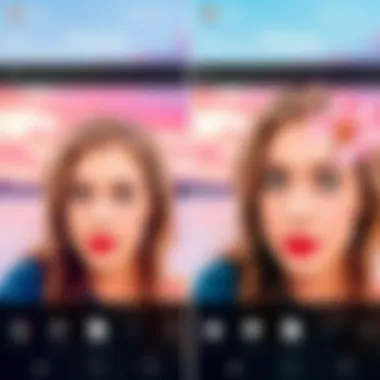
When it comes to filter selection, Prisma offers a plethora of options that give images a revamped look without sacrificing the essence of the original photo. The key characteristic of this selection is its breadth; users can delve into a variety of styles ranging from impressionist to futurist. This diversity caters to different tastes and allows individuals to express their creativity in unique ways.
A beneficial aspect of these filters is their quality. Unlike basic filters found in many other apps, Prisma’s filters are crafted from real artistic styles, aligning each filter with the works of well-known painters—think Van Gogh and Picasso. However, one disadvantage could be that for some users, there may be an overwhelming number of choices, making the decision process feel daunting. But with a bit of exploration, many find their favorites quickly, showcasing the advantage of having options.
Customization Options
Customization options further enhance the appeal of Prisma. Users are not locked into a specific look; they can fine-tune filters to achieve their desired effect. The key characteristic here is the user interface, which makes adjustments seamless and intuitive. Whether it's altering the intensity of a filter or blending it with the original image, this flexibility adds a layer of professionalism to the editing process.
One unique feature of customization is that it permits layering multiple effects, which enriches the creative possibilities. While this offers advantages in terms of artistic liberty, it can also lead to clutter if not managed well. Nonetheless, many users enjoy the ability to create intricately edited images that stand out from the crowd.
Photo Enhancement Tools
Beyond artistic transformations, Prisma includes robust photo enhancement tools. These tools ensure the fundamentals of photo editing are covered, providing users the ability to refine their images further.
Exposure Adjustments
Exposure adjustments play a crucial role in setting the mood of a photograph. The key characteristic of Prisma's exposure tool is its simplicity yet effectiveness. Users can quickly increase or decrease brightness levels to ensure that their images align with their artistic vision. This straightforward functionality establishes it as a popular choice for those looking to make quick yet impactful adjustments.
A unique feature within exposure adjustments is the option to check a histogram, helping users maintain proper exposure levels without guesswork. This not only aids in achieving well-lit images but also helps avoid common pitfalls of over or under-exposing. However, one disadvantage might be the lacks of advanced options available in specialized software, but for the average user, these simple adjustments usually suffice.
Color Correction
Color correction is another pivotal aspect of photo editing, and Prisma does not skip out here. The key characteristic of the color correction tools is their ease of use, which allows users to adjust saturation, contrast, and color balance with just a few taps. This functionality is a beneficial asset for those wanting to polish their images without diving too deep into complex adjustments.
One unique benefit is the availability of preset color profiles, enabling users to apply consistent styles across multiple photos. This can be particularly useful for photographers building a distinctive collection. However, as with other features, a potential disadvantage may arise for those seeking more detailed color adjustments—Prisma's tools are not as extensive as what one might find in dedicated editing software. Nevertheless, these tools add significant value to the overall editing experience, making Prisma a capable app for a wide range of editing tasks.
Through exploring these key features, it becomes evident that Prisma Photo Editor isn't just a powerful tool but rather a medium of creative expression, making the journey of photo editing an enjoyable one.
Technical Specifications
Technical specifications play a fundamental role in understanding how effective a photo editing app can be. They outline the core capabilities and limitations that can impact user experience and overall performance. When analyzing the Prisma Photo Editor, it's crucial to delve into its technical specifications, focusing on platform compatibility and system requirements. By exploring these areas, potential users can ascertain whether the app meets their needs and whether it can seamlessly integrate with their existing devices.
Platform Compatibility
iOS
The iOS platform is known for its tight integration between hardware and software, which often results in enhanced performance and stability. Prisma being available on iOS takes advantage of this synergy, ensuring that users experience responsive editing, even when applying complex filters or enhancements. One key characteristic of iOS is its user-friendly interface, providing a streamlined experience for users, especially those who may be new to photo editing.
A unique feature of the iOS version of Prisma is its ability to utilize Apple's Core Image for real-time processing. This capability allows for swift adjustments to images without noticeable lag, a significant advantage when working on high-resolution photos. However, one downside could be the restrictive nature of iOS, which limits app functionalities that can be developed due to stricter guidelines compared to other platforms.
Android
Android, on the other hand, boasts a broader range of devices and greater flexibility. This diversity enables Prisma to cater to a wider audience, as it can be found on various smartphones, from flagship models to budget-friendly options. The key advantage of Android in relation to Prisma is its open-source nature, which allows developers to experiment and incorporate diverse functionalities that may not be possible on iOS.
A standout feature of Prisma on Android is the ability to customize the app experience extensively. Users can change the interface to their liking, and some devices even offer integrated features that enhance photo editing. However, this flexibility sometimes comes with the caveat of inconsistent performance across various devices, leading to potential discrepancies in user experience compared to the iOS version.
System Requirements
Understanding the system requirements for Prisma is essential for users wishing to download the app. On iOS, the app typically requires at least iOS 11.0, ensuring compatibility with most modern devices. Meanwhile, Android users need a device running Android 5.0 (Lollipop) or higher. These minimum requirements reflect a broad reach aimed at accessibility while ensuring the app runs smoothly.
In summary, carefully considering the technical specifications of the Prisma Photo Editor provides keen insights for tech enthusiasts and professionals alike. The nuances of platform compatibility alongside the system requirements can ultimately determine the effectiveness and efficiency of their photo editing processes. For more in-depth system specifications, you can refer to Wikipedia or check discussions on Reddit.
Performance Evaluation
Performance evaluation is a crucial aspect when assessing the Prisma Photo Editor app. The efficiency and effectiveness of any photo editor can be primarily gauged through its speed and responsiveness alongside the quality of images it generates. In a world where users are gravitating toward quick and seamless experiences, understanding how Prisma stacks up against these benchmarks can significantly influence a user’s choice. Performance metrics don't just highlight the capabilities of the app; they also reflect the essential user experience that can make or break the overall perception of the software. By delving into these specifics, users can better appreciate what Prisma offers and the potential impact on their editing workflow.
Speed and Responsiveness
When it comes to editing photos on-the-go, speed is often a game changer. A sluggish app can lead to frustration, especially for professionals and enthusiasts who seek promptness in their creative processes. Prisma’s speed hinges on several factors, including the device used, the complexity of the edits, and the internet connection for cloud-based functionalities. Users typically find that faster response times yield a more enjoyable editing experience.
Key considerations regarding speed and responsiveness in Prisma include:
- Real-time Filters: Applying artistic filters should feel fluid, and users appreciate when changes appear without lag. Quick rendering allows for a more intuitive adjustment period.
- Loading Times: A seamless transition when opening the app or importing images is essential. Users should not be left waiting around; they prefer immediate access to tools.
- Batch Processing: For those editing multiple photos, the app’s ability to handle bulk processing efficiently without crashing or slowing down is a significant advantage.
All these aspects play a pivotal role in creating an environment where creativity can flourish without hindrance.
Quality of Output Images
High-quality output images are non-negotiable for any photo editing tool, and Prisma is no exception. Users expect that the final product maintains integrity, whether it's for personal use or professional projects. Here, quality is multifaceted, encompassing aspects like resolution, detail retention, and overall color vibrancy.
To evaluate the output quality of the images edited with Prisma, consider the following factors:
- Resolution Retention: The app preserves the resolution of the original image, ensuring that edited photos remain crisp and clear. This is particularly crucial for users who may want to print or share images at high resolutions.
- Color Fidelity: Users often desire their images to reflect the true vibrancy of the original. Prisma’s filters tend to amplify this, adding artistic flair while maintaining the core colors.
- Detailing in Complex Edits: The way the app handles complex edits, especially in areas with intricate details, can showcase Prisma's overall performance. Users must assess whether the app manages to maintain detail without distorting the final image.
Ultimately, the combination of swift performance and high-quality output solidifies Prisma’s reputation as a top-tier photo editing application. Users who prioritize efficiency and visual fidelity will likely find that Prisma checks all the right boxes.
Comparison with Other Photo Editing Apps
In the landscape of photo editing apps, comparing features is vital for users eager to find the right tool for their needs. This comparison goes beyond simple functionality; it dives into user experience and the unique fingerprints of each application. When scrutinizing Prisma against its competitors, it’s easy to see how distinctive features, usability, and aesthetic outputs set it apart. This discussion not only helps potential users gauge the app's value but also offers insights for developers in understanding market dynamics and user preferences.
Strengths and Weaknesses
Versus Adobe Photoshop
Adobe Photoshop reigns supreme in the realm of professional photo editing. Its comprehensive toolkit is quite appealing. For enthusiasts and professionals alike, what stands out is its advanced Layer System—a feature that enables the manipulation of different image elements independently. This capability allows for complex edits that Prisma simply doesn't offer. Moreover, the flexibility of Photoshop in handling RAW files gives it a significant edge for photographers seeking ultimate quality and control.
However, the sheer complexity of Photoshop can be daunting for casual users. While it packs a punch with its features, the learning curve is steep. In contrast, Prisma focuses on instantly transforming photos into stunning art, without requiring extensive training or experience.
"Adobe Photoshop often demands time to master, while Prisma caters to creativity on-the-go."
Prisma excels in user-friendliness, allowing users to apply beautiful artistic filters quickly. This simplicity can be both its strength and its weakness; while it's great for generating eye-catching images without fuss, it may lack the depth that photographers rely on in Photoshop.
Versus Snapseed
Snapseed brings another flavor to the editing table, offering an impressive balance of user-friendliness and depth. It's well-suited for mobile users seeking enhanced photo-edit capabilities without the overwhelming options in Photoshop. Snapseed's unique feature, the Selective Adjust tool, allows users to hone in on specific areas of an image without affecting the entire photo, a capability that Prisma can't match.
On the flip side, Snapseed’s artistic filters do not achieve the same painterly quality that Prisma boasts. While Prisma’s filters turn photos into artworks reminiscent of paintings, Snapseed sticks closely to photo-realistic enhancements. This difference highlights the divergent paths both apps take in serving users—one focuses on artistic expression while the other retains a more standard approach to photography.
Market Positioning
Prisma finds itself at an interesting crossroads in the photo editing app market. Positioned as an art-centric tool, it appeals to those seeking to push the boundaries of conventional photography. This niche allows it to carve out its space among heavyweights like Adobe Photoshop and Snapseed.
By prioritizing creative output over technical depth, Prisma attracts users who may feel overwhelmed by traditional editing programs. The rise of social media has fueled its popularity, as users crave quick and striking content to share on platforms like Instagram.
In terms of visibility, less traditional marketing strategies have proven effective for Prisma, allowing it to organically build a devoted user base through vibrant community engagement and showcasing user-created art. Its unique offerings place it in direct competition with Snapseed while standing apart from the professional tone of Photoshop, making it appealing to both casual users and aspiring artists.
Overall, comparing Prisma with other apps like Adobe Photoshop and Snapseed reveals critical insights into each application’s strengths and limitations. While Photoshop offers extensive control and depth, and Snapseed provides a balance of usability and functionality, Prisma shines in its ability for quick artistic transformations, making it a strong contender in the ever-evolving world of photo editing.
User Reviews and Feedback
User reviews and feedback play a crucial role in understanding the real-world application and acceptance of the Prisma Photo Editor. In the tech world, where user experience often dictates success, feedback reveals more than just functionality. It unearths the subtleties of how users perceive the app in their daily lives, laying the groundwork for both current performance assessment and future improvements.
Common Praise
Many users of Prisma Photo Editor espouse the app's ease of use. This has been a common thread in reviews, resonating particularly well with those who may not have a background in graphic design or professional photography. The intuitive interface allows for a quick learning curve, enabling users to dive right into editing with minimal guidance. For instance, a user might mention how they were able to transform a simple vacation photo into a stunning piece of art merely by experimenting with the app’s filters and effects.
Also, the quality of the artistic filters garners high praise. Users appreciate how Prisma allows them to channel their inner artist, turning mundane images into vibrant, painterly masterpieces. Comments often highlight specific filters that capture the essence of a particular style, such as the renowned “Mononoke” or “Heavenly” filters, each empowering users to explore their creative side.
- The ease of applying filters and effects is frequently highlighted.
- High-quality image outputs have been valued by both casual users and photography veterans.
Moreover, users rave about the social sharing capabilities of the app. The ability to post edited images directly to platforms like Instagram or Facebook without any hassle saves time and enhances the overall user experience. One reviewer noted, "I love how I can edit a photo and within minutes it’s ready to share with my friends!"
Frequent Criticisms
Despite its accolades, Prisma is not without its critiques. One prominent concern among users relates to limited filter options in comparison to competitors. Some feel that while the artistic filters are unique, the overall arsenal might feel a bit constrained after initial use. This limitation can lead to a sense of repetition, as users may find themselves cycling through the same filters frequently.
Another recurring criticism centers around image processing times during peak usage. Certain users, especially those with older smartphones, have reported lags and slowdowns while applying complex filters to high-resolution images. A user remarked, "I love what Prisma does, but sometimes I wish it would speed up a bit—especially for large files."
Additionally, while many enjoy the artistic approach, others want more granular control over their edits. Some users, particularly those familiar with advanced editing tools, have voiced their desire for additional features like layer management and precise color adjustments. They argue that options currently feel somewhat limited and do not fully cater to advanced editing needs, lacking the depth found in software like Adobe Photoshop.
- Lags in processing speed can frustrate users with high-resolution images.
- There is a expressed desire for more detailed editing capabilities.
Despite these criticisms, it's clear that user feedback provides valuable insights, steering future updates and enhancements. By keeping the pulse on user experiences, the Prisma team can make informed decisions to better the app, ultimately enriching the user community it serves.
Tips for Maximizing the App's Potential
The Prisma Photo Editor app offers a vast array of capabilities that can elevate a simple snapshot into a work of art. Understanding how to make the most of these features is essential for both casual users and photography enthusiasts. This section covers tips that can help users tap into Prisma's full potential, highlighting how to navigate its artistic approaches and advanced functionalities.
Exploring Different Styles
One of the standout characteristics of Prisma is its collection of artistic filters that transform everyday images into various style renditions. Users are encouraged to experiment with these filters, which draw inspiration from renowned painters like Van Gogh or Munch. Here are a few ways to unlock diverse artistic styles effectively:
- Trial and Error: Don’t shy away from trying multiple filters on the same image. Each filter can produce drastically different results, and finding a style that resonates with your vision adds personal flair.
- Mood Matching: Matching the filter to the image's mood can create a compelling narrative. For instance, a heavy brushstroke filter can enhance a moody landscape, while a vibrant palette filter might better suit a sunny beach scene.
- Layering Styles: Some users combine styles by exporting an edited image, then re-importing it to apply another filter. This layering can add depth and uniqueness, making your creation stand out.
Utilizing Advanced Features
While Prisma’s filters are indeed eye-catching, the app also includes advanced tools that can refine your editing process. Here are ways to capitalize on these features:
- Fine-Tuning Effects: Each filter comes with adjustable parameters. Users should play around with settings such as intensity and blending to enhance the final outcome further. Sometimes, a subtle change can make a world of difference.
- Utilizing Customizations: Delving into custom styles allows for personal expression. Users can save adjustments they've made to filters, creating a tailored approach that reflects their artistic intent. This way, the fit between image and filter becomes not only intuitive but also progressive, helping you grow as an editor.
- Integration with Other Apps: Don't limit yourself to only using Prisma for editing. Consider integrating the app with others like Snapseed or Lightroom to leverage their functionalities, creating a well-rounded editing workflow. Combined adjustments from multiple apps can yield uniquely polished photos.
Remember: The beauty of photography lies in its subjectivity. The experimentation process not only aids in learning but also inspires creativity. The more you explore, the more you'll discover about your style and skills.
Prisma’s Impact on Photography Trends
The emergence of apps like Prisma has reshaped how we perceive, share, and experience photography. With a focus on artistic enhancement over mere reality, Prisma's influence extends far beyond simple image editing. It has tapped into a broader cultural movement where user-generated content reigns supreme, appealing to both novice and seasoned photographers alike.
Influence on Social Media
Prisma’s toolkit is not just about filters; it's about creating a narrative around visual content that resonates with social media users. From Instagram to Facebook, the visual aspects of our communication are paramount. Users often seek out striking, unique images that stand out in crowded feeds. Prisma caters to this demand by offering an ability to transform ordinary photos into masterpieces that reflect personal flair.
Platforms like Instagram encourage users to present a carefully curated aesthetic. The filters offered by Prisma allow for this kind of curation. Each filter has a distinctive style, from the bold strokes of a painting to the soft hues of a washed painting. As a result, the app feeds into trends of personalization and self-expression. In this context, Prisma serves as a bridge between art and photography, enabling users to capture their creativity in a way that's easily shareable.
Moreover, social media trends often shift toward the visually compelling. Hashtags like #PrismaArt have gathered traction, signifying how users are eager to share their edited images with these specific applications. This not only promotes the app but also creates communities around artistic expression, cultivating a sense of belonging amongst users worldwide.
"Artistic filters have turned commonplace photos into famous stories across social media platforms, allowing everyday users to feel like artists in their own right."
Reflection of Current Aesthetic Preferences
Prisma also reflects contemporary aesthetic preferences shaped significantly by digital culture. The thirst for authenticity in artwork has pushed users toward tools that allow customizable expression. It’s not solely about the final product; it’s about the journey of creation and user involvement. In today's image-focused age, aesthetics often speak louder than words; how a photo looks can be as important as its content.
This affinity for striking visuals can partly be attributed to the influence of Millennials and Gen Z, who prioritize both creativity and spontaneity. The typical user gravitated towards apps that offer functionality and style. Prisma embodies this by enabling users to apply styles inspired by renowned artists—such as Van Gogh or Munch—merging traditional art with modern technology.
In line with current trends, the direction toward a more stylized, artistic rendering of photographs aligns with broader shifts in societal appreciation for art in the digital realm. Users are not just seeking to document their experiences but are conversely looking to craft them, embodying the essence of today's visual culture.
In summary, Prisma promotes a shift towards artistic expression in photography that resonates deeply within our contemporary culture. This shift is clearly visible in social media dynamics, where visuals have become essential communication tools that reflect personal stories and collective identities.
Future Prospects and Updates
As the digital landscape continues to evolve, photo editing apps like Prisma Photo Editor find themselves at a turning point. With the rapid advancements in technology and shifting consumer demands, understanding the future prospects and upcoming updates for Prisma is essential for both tech aficionados and casual users. This analysis delves into the anticipated features and the long-term viability of Prisma in an increasingly competitive market.
Anticipated Features
In the world of photo editing, keeping pace with user expectations often leads to innovation. Prisma has made a name by offering artistic filters that are not just aesthetic but transformative. Looking ahead, the company could potentially introduce several features designed to enrich user experience further:
- AI Integration: Just imagine the app harnessing advanced AI algorithms to automatically suggest edits based on the content of the image. This would simplify the editing process for users who may not have extensive knowledge in photography.
- Real-Time Rendering: Currently, many filters have a delay while they process images. Real-time feature could provide users with an instantaneous preview experience, making the whole process smoother.
- Enhanced Customization Tools: Users crave personal touches in their edits. Offering tools that allow for intricate modifications could encourage users to engage more deeply with the app.
- Collaborative Features: As social platforms like Instagram and TikTok thrive on community engagement, Prisma might consider implementing features that allow users to collaborate on projects or share filters with friends seamlessly.
By incorporating these anticipated features, Prisma can remain relevant and possibly dominate the photo editing landscape.
Long-Term Viability in the Market
To assess Prisma’s sustainability, it’s crucial to consider several factors affecting its long-term viability:
- Adaptation to Trends: The app’s ability to adapt to emerging trends will play a pivotal role. For instance, increased user interest in video editing could push Prisma to explore options for incorporating video capabilities.
- Diverse User Base: By catering to both casual users and professional photographers, Prisma can broaden its audience. This includes refining its features to appeal to a wider range of skill levels.
- Continued Innovation: The tech world is notorious for rapid change. Continually rolling out updates that address user feedback and market needs can keep the app fresh and engaging.
"In the dog-eat-dog world of tech, being stagnant is a surefire way to fade into the background. Continuous innovation is not just important but essential for survival in this fast-paced industry."
- Competitive Positioning: Prisma needs to strategically position itself in the market, not only by emphasizing its unique features but also by keeping an eye on what competitors are offering. Regularly analyzing competitor moves helps ensure that Prisma remains competitive.
Epilogue
Bringing this exploration of Prisma Photo Editor full circle, it can be said that the app is more than just a tool for editing photos. It's a gateway to creative expression, standing out in a crowded field of similar applications. The app simplifies the complex art of photography, enabling users to produce visually stunning images with relatively little effort.
Summary of Findings
Throughout the various sections, we delved into the unique features and functionalities that make Prisma a standout option for photo enthusiasts. In summary:
- Artistic Filters: Prisma’s array of artistic filters transforms mundane photos into works of art, with options that rival traditional painting styles.
- User-Friendly Interface: The design aesthetics and intuitive navigation ensure that both beginners and seasoned users can effortlessly enhance their images.
- Performance: Speed and image quality were consistently noted as strong points in user feedback, contributing to an overall satisfying editing experience.
- Market Positioning: When compared with giants like Adobe Photoshop and Snapseed, Prisma offers a fresh perspective with its focus on artistic transformations rather than standard editing tools.
This analysis also considered user reviews and trends in photography to give context to Prisma's features. Users praised its creative potential but noted some limitations, particularly when it comes to more advanced editing capabilities.
Final Thoughts
As users venture into the world of Prisma, they journey beyond mere photo editing. They explore a platform that fosters artistic exploration and personal style. As technology continues to evolve, so too will Prisma, providing a tool for both self-expression and visual storytelling.